
invite_users_to_take_a_survey
Before continuing
Inviting user to take a survey
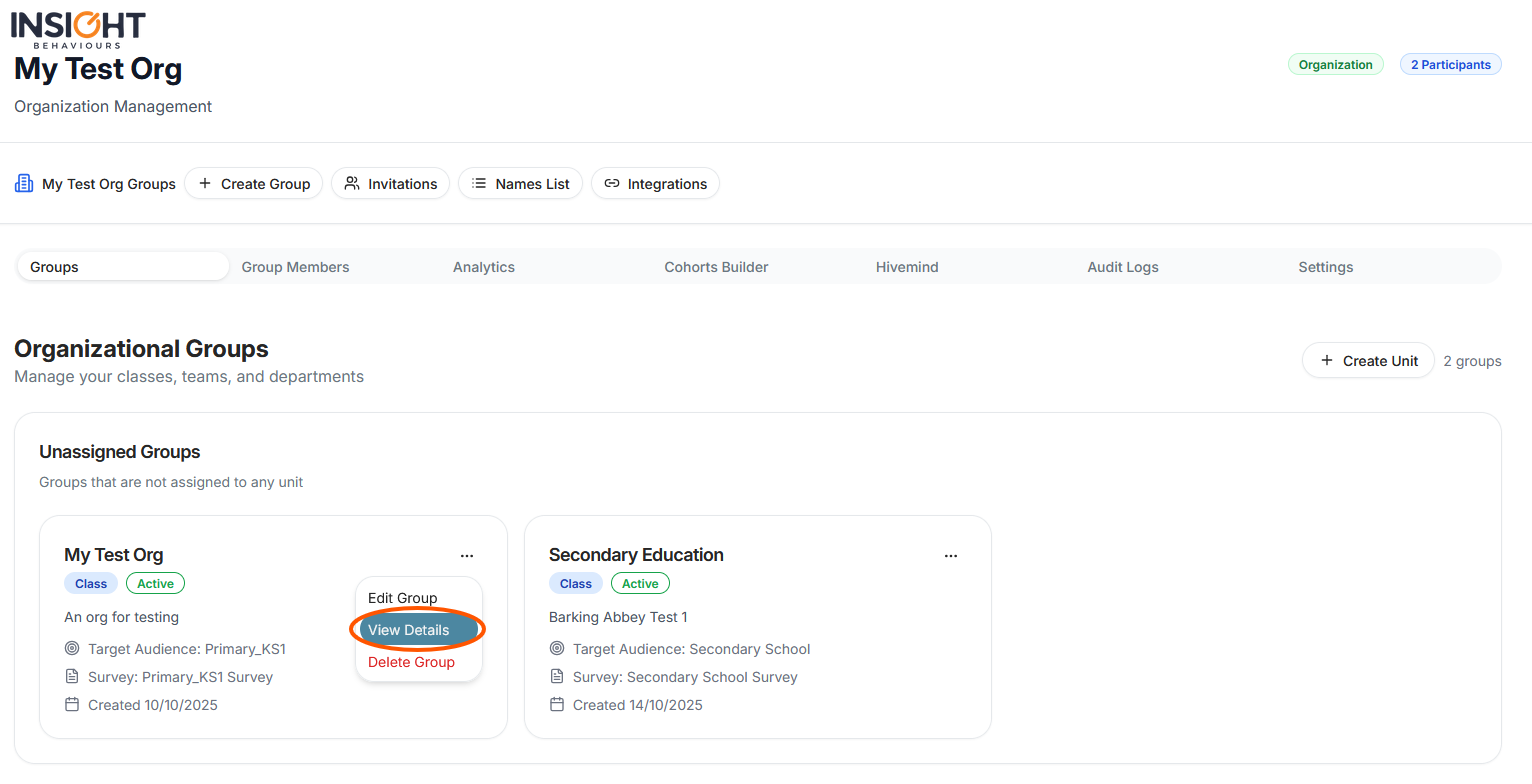
If you're an domain or organization admin, you will need to first access the group you want to have users take a survey by pressing on the three-dotted button and selecting “view details”
Once on the groups details page you can copy the invite link via the button on the header of the page:
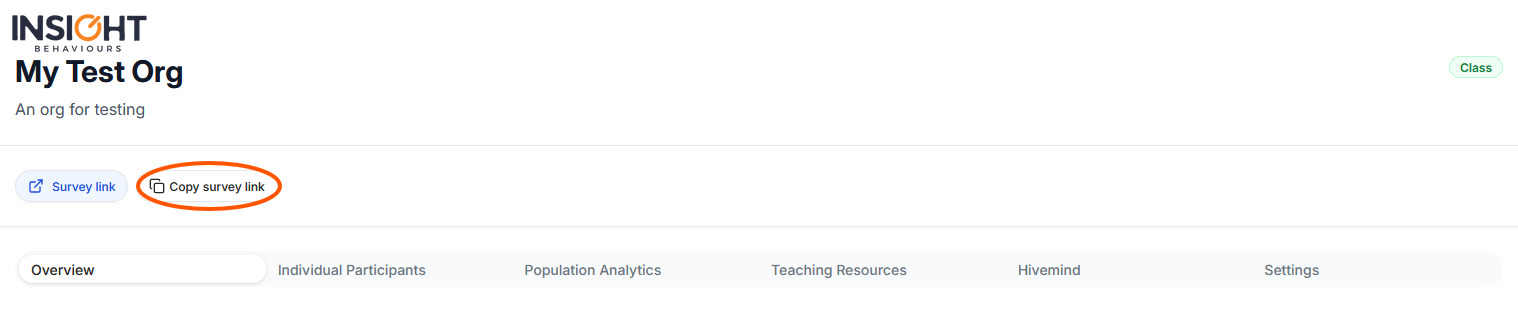
You then send this link to whomever you wish to take the survey
invite_users_to_take_a_survey.txt · Last modified: by moshmage