
create_your_first_group
Before continuing
Create your first group
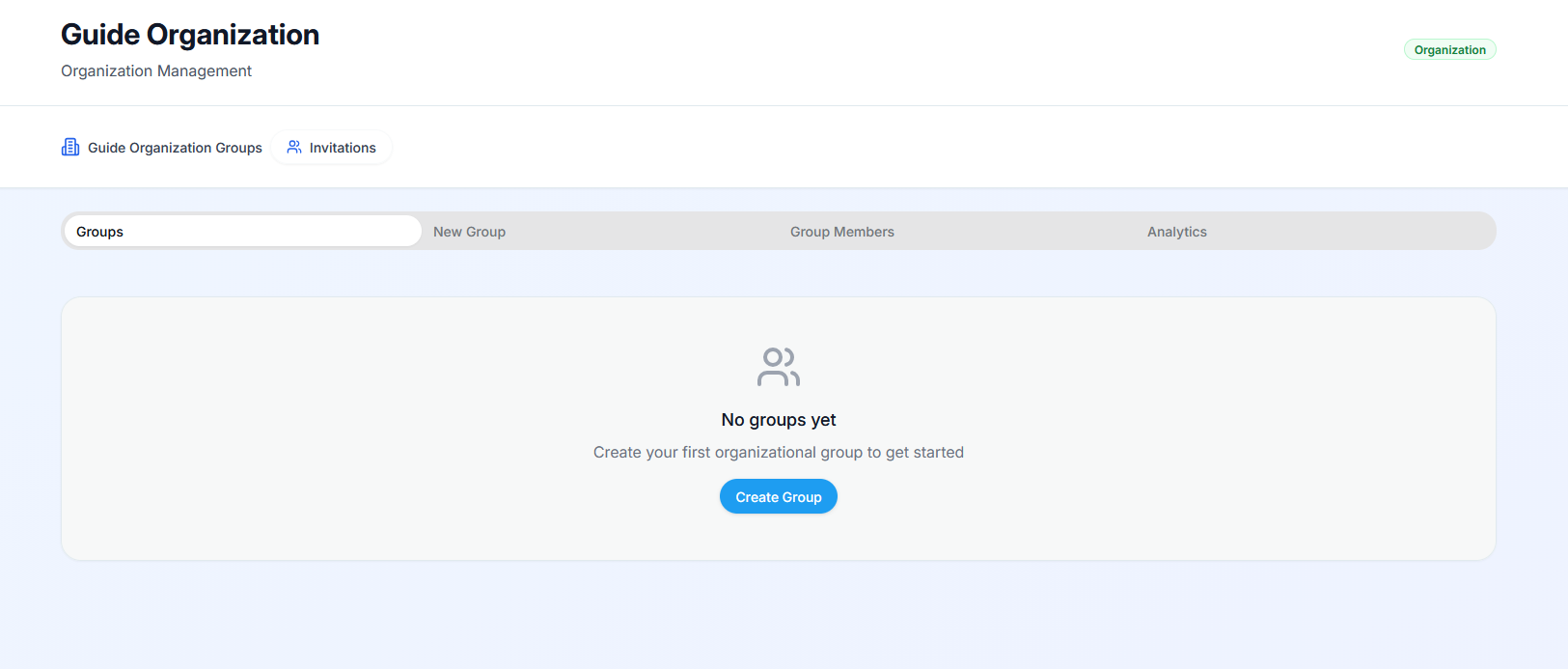
After having created your organization, and accessing it, you will be redirected to the organization dashboard with a list of your groups. If none is created, you will see a call-out to create a new group, click the blue “Create Group” button
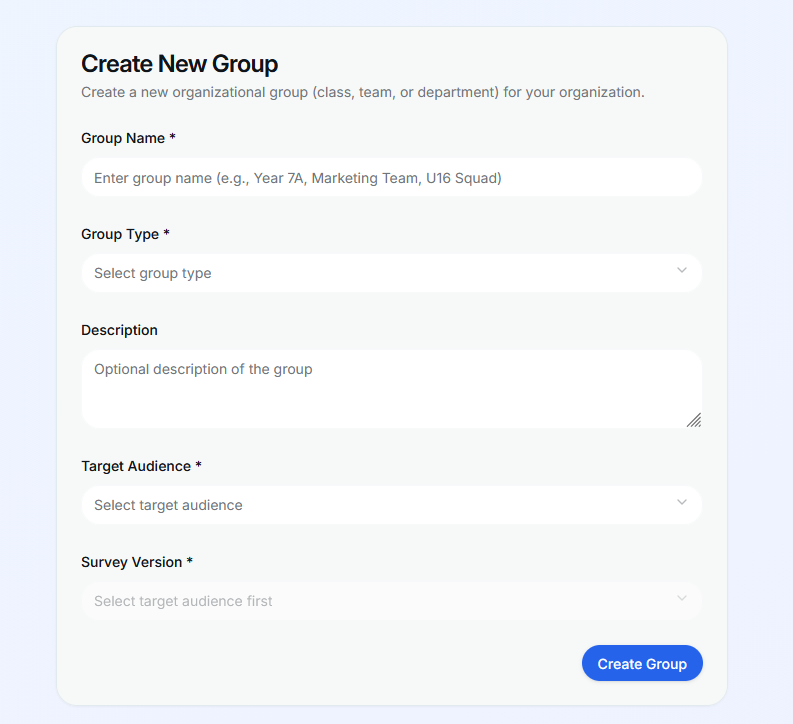
After having done so, you will see the “Create new group” card, fill the form with the relevant information, selecting the target audience (one target audience per group) and selecting the survey you want associated with that group, finally click the blue button “Create Group”
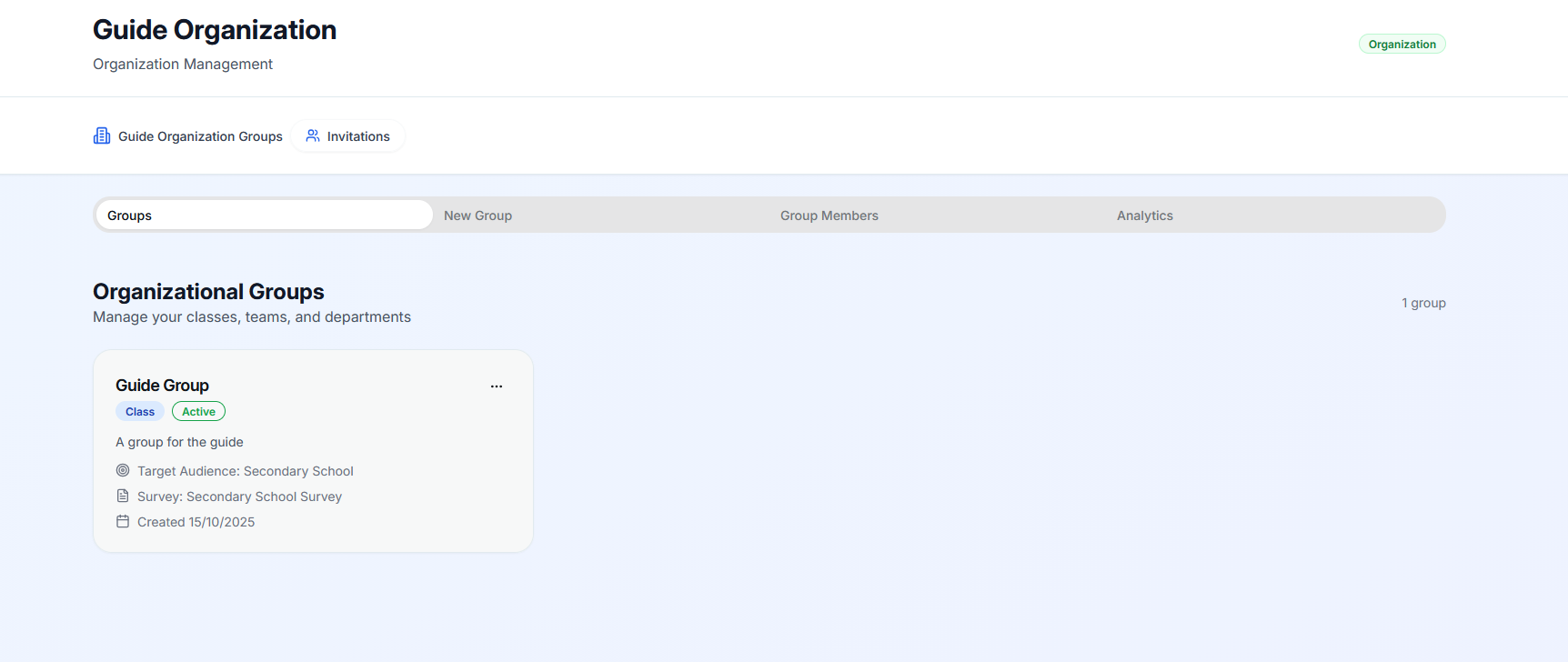
Your group was created you will be redirected to the “Groups” tab, where you will see the newly created group:
create_your_first_group.txt · Last modified: by moshmage