
invite_a_member_to_your_group
Before continuing
Inviting group members
This is an optional step, do this only if you want other people to access the group information
Group members refers to the person (or persons) who are the managers of a group, they will have access to the analytics, individual participant data, teaching resources, and they can also have access to the survey link you will be sharing with your groups participants
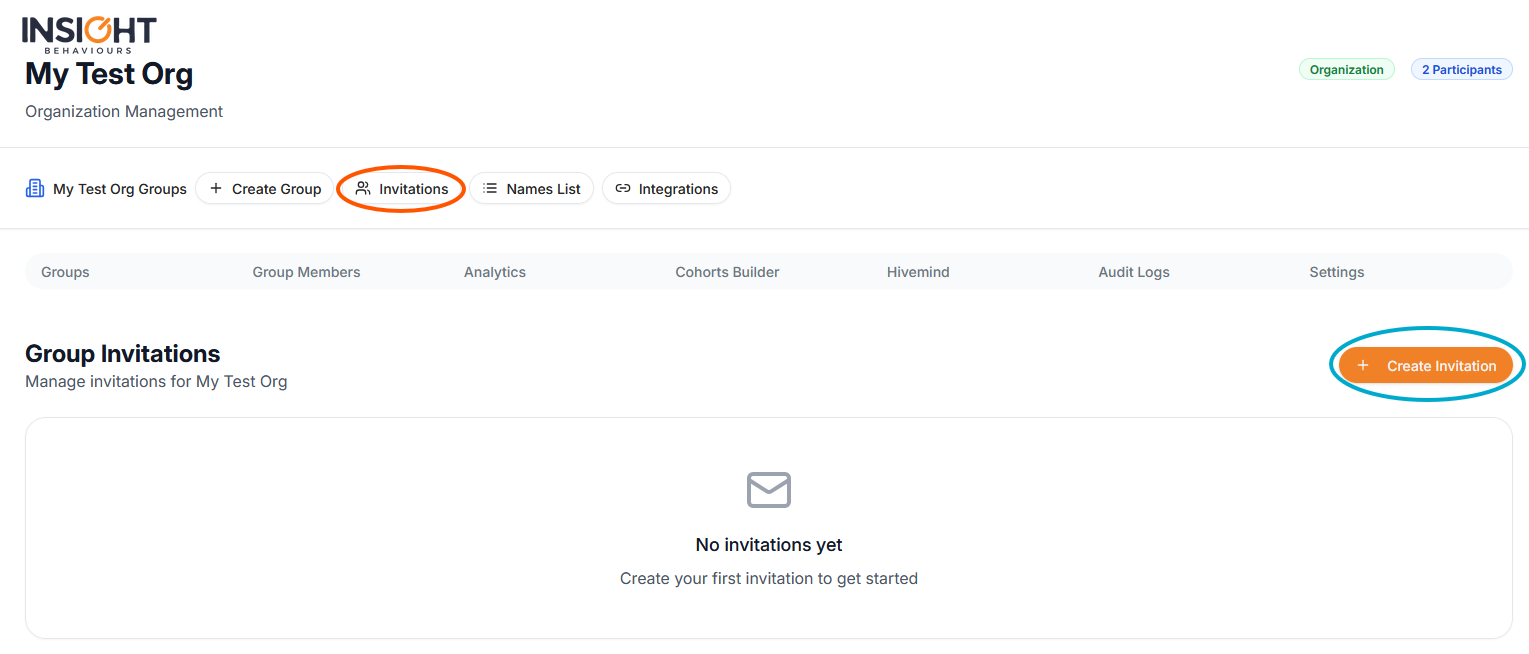
You can invite a group member by clicking the “Invitations” button located at the header of your organization and then “create invitation”:
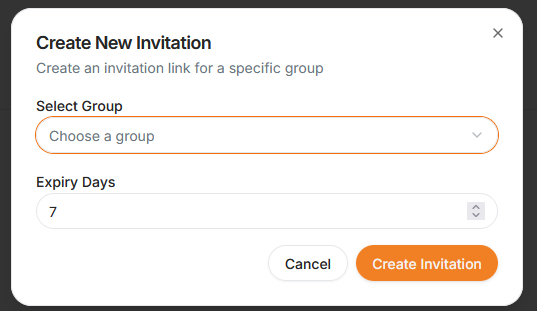
Which will show this modal, where you can select which group to create the invitation to:
After which you will see the invitation link that you can copy-paste and send to the person you want to invite
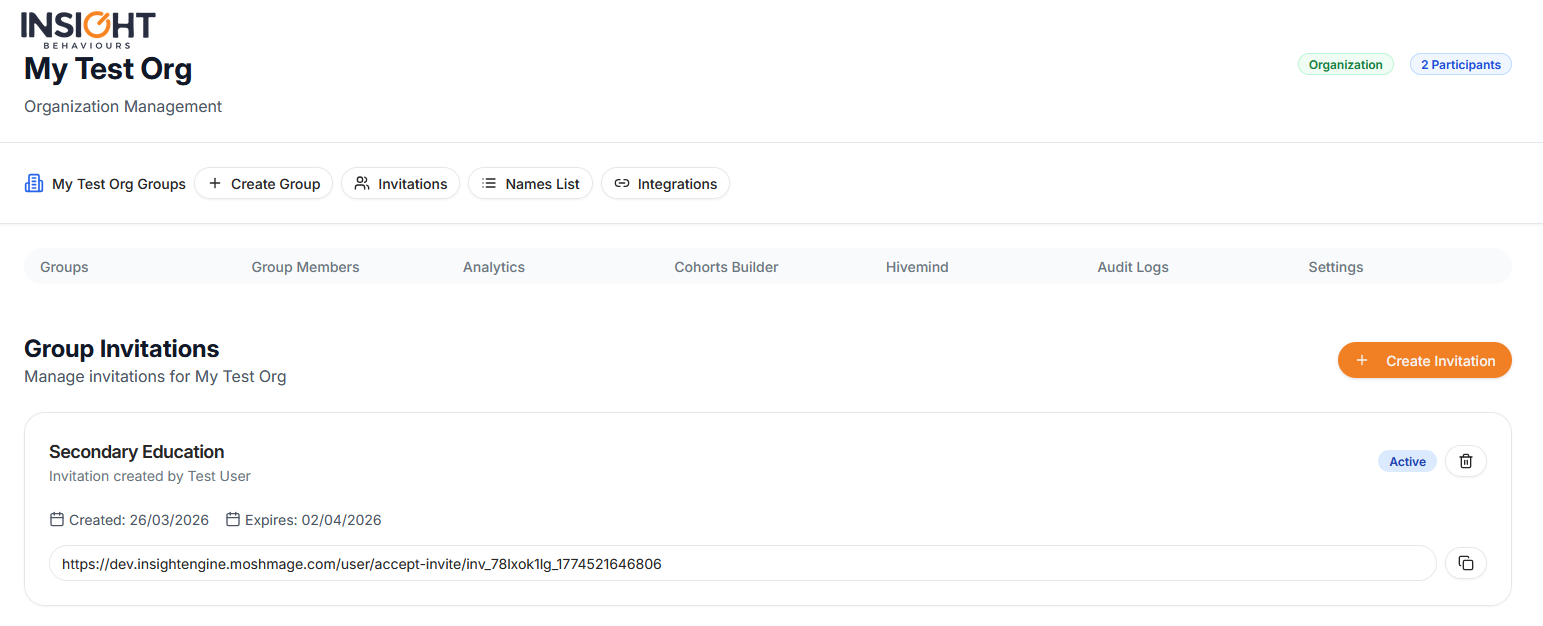
- Each invitation can be used once, by one user;
- If the user already has an account they can just login, otherwise they will need to register before having access to the group
invite_a_member_to_your_group.txt · Last modified: by moshmage